Terminal Reset
If your terminal has lost its connection to the software, it most likely requires a reset.
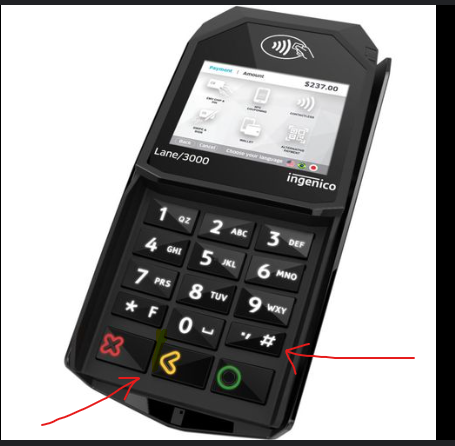
To reboot the terminal, hold down the # key and the yellow button simultaneously (picture below). The terminal will then begin its reboot.
If this fails, please also try clearing your cache on your computer by pressing CTRL + SHIFT + DELETE on your keyboard.
Article Number: 68
Author: May 14, 2025
Last Updated: May 27, 2025
Online URL: https://help.wyliebiz.com/article.php?id=68