Sync Appointments with Google, Outlook, and Apple Calendar
The calendar subscription feature enables you to add your appointments to external scheduling apps such as Google, Outlook, and Apple by subscribing to your calendar in the external application. Additionally, you may add appointments from an external scheduler to Wylie.
Adding Wylie appointments to an external calendar:
-
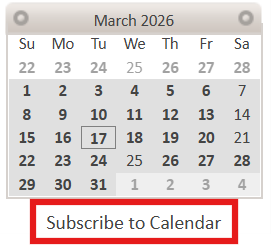
Go to the calendar in Wylie, then to the left-hand side above employee names, click 'Subscribe to Calendar'.
-
Select 'Generate Calendar URL', then one of the 3 calendar options (pictured below).

-
Your external calendar should automatically open in your browser and add the calendar of the employee logged in at the time. If your external application is not opening, you can copy the generated calendar URL and paste it into the designated subscription area in the external application. This specific URL is connected to the employee logged in at the time.
-
Other employees can login and generate their own calendar URL and connect to their own external calendars or provide the URL if the clinic is sharing an external calendar.
Adding external appointments to your Wylie calendar:
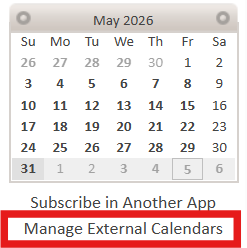
- Select 'Manage External Calendars' on the left-hand side of the appointment scheduler page.
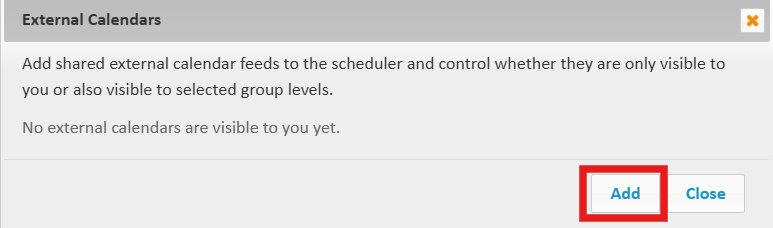
- Select 'Add'.
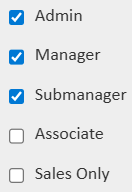
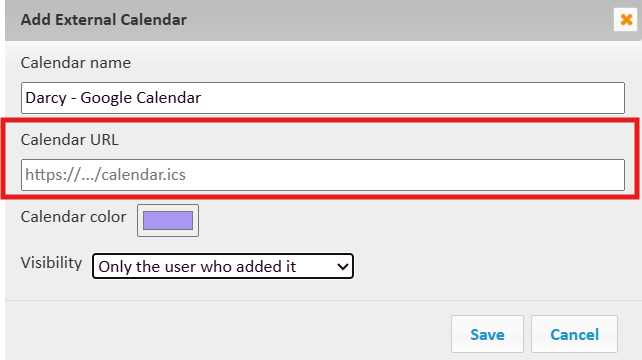
- Enter the 'Calendar Name', choose the color of the appointments for that calendar, then choose whether the appointments will be visible only to the employee logged in at the time of syncing the appointments or employees that have a certain group/permission level set on their employee profile in Wylie.
If you choose 'share with selected group levels', you will need to choose which permissions/group will be able to view the appointments from this calendar. This means that any employee in the system with that permission/group level on their employee account will be able to view those appointments.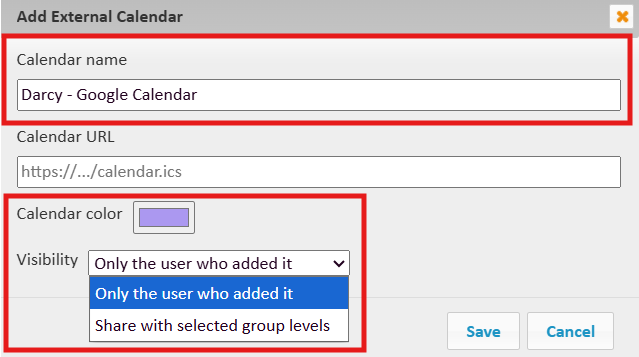
- Lastly, you must retrieve the calendar URL of the calendar/appointments you wish to import in an '.ics' format, then paste it into the 'calendar URL' field and save. (see below for instructions on how to retrieve this .ics URL from the more common calendar applications)
Google Calendar - Finding your .ics Calendar URL:
- Find 'my calendars' on the left-hand side of your Google Calendar, and hover over your calendar (it will likely be your name), then select the three vertical dots.
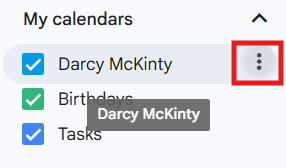
- Select 'Settings and Sharing'.
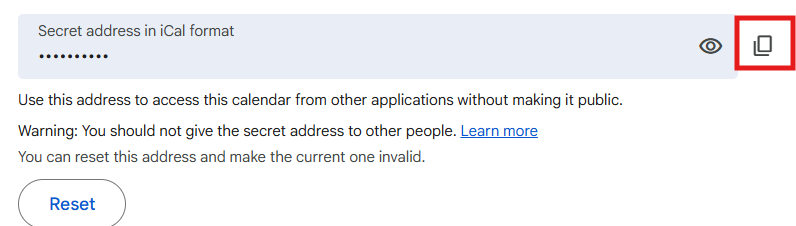
- Scroll all the way to the bottom of settings, where you will find the 'secret address in iCal format,' then select the 'copy' icon to the right, and paste this back in Wylie in the 'Calendar URL' field.
Article Number: 88
Author: Mar 17, 2026
Last Updated: Jun 5, 2026
Online URL: https://help.wyliebiz.com/article.php?id=88