Appointment Scheduler- 'List / Table View'
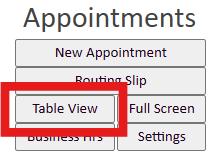
Estimated Reading Time: < 1 MinuteTo view your appointment in a 'list' or 'table' view, go to the 'appointment scheduler', by selecting the calendar icon, then 'Appointment Scheduler' and select the grey 'Table View' button (pictured below).
From this table view you take advantage of the different dropdowns across the top to assist you in filtering the appointment information you would like to see.
